Own your Shipshe listing.
Shipshe lists places in and around Shipshewana. If yours is one of them, claim it. It is free.
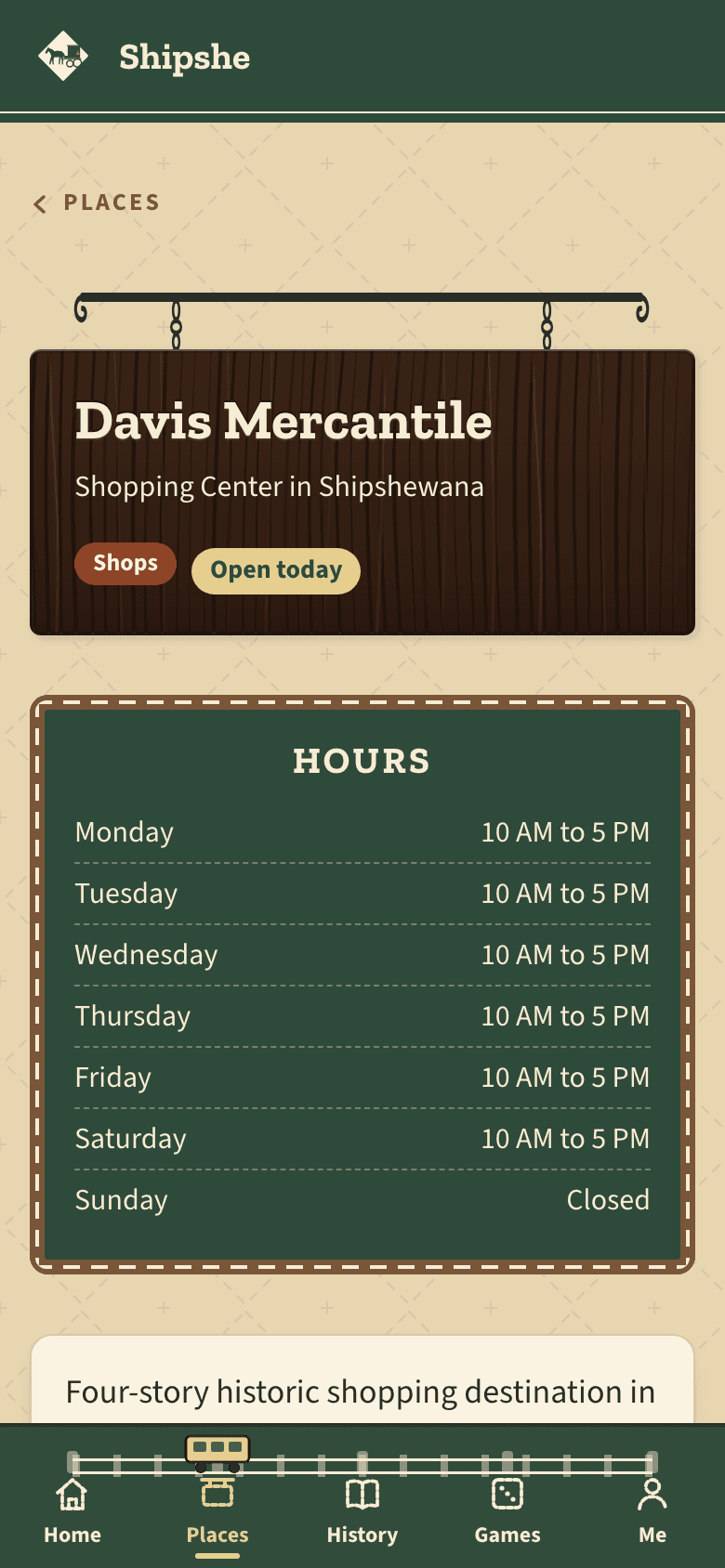
Why claim, and why upgrade
Visitors plan their Shipshewana day on Shipshe. Claiming is free and puts your hours, your products and your words in your own hands. A plan puts your listing where they look first.
Plans
Being listed and claiming your listing are free. A plan is optional, costs the same every month, and is for one listing.
Free
$0
Your pin on the map Your last 7 days - Claim your listing and make it yours.
- Keep your hours, description and products current.
- Get order requests by email.
- See your last 7 days.
Main Street
$19 a month
One new customer a month covers it.
Your card, tagged Your last 90 days Everything in Free, and:
- See what's working month over month.
- A Featured partner tag on your card so visitors notice first.
- See what visitors to Shipshewana are looking at and tapping.
Cancel anytime, no contract.
Best visibility
Marquee
$39 a month
One good customer covers it.
Your pin on Marquee First on your category's list Everything in Main Street, and:
- A gold Spotlight pin on the map that never hides in a crowd.
- First on your category's list, marked Spotlight.
Cancel anytime, no contract.
Claim your listing first. Then choose a plan from its edit page. Cancel any time.
What Marquee looks like on Shipshe
On your category's list
Free Marquee On the map
Free Marquee
Sample listing is made up, to show the difference. It is not a real business.
Every plan, side by side
| What you get | Free$0 | Main Street$19 a month | Marquee$39 a month |
|---|---|---|---|
| Claim your listing | Included | Included | Included |
| Edit your hours, description and products | Included | Included | Included |
| Receive order requests | Included | Included | Included |
| Stats | 7 days | 7, 30 and 90 days | 7, 30 and 90 days |
| "Featured partner" tag | Not included | Included | Included |
| Access to Shipshewana Trends | Not included | Included | Included |
| Marquee pin on the map: gold ring, glow, Spotlight badge, never clustered | Not included | Not included | Included |
| Top placement on category pages | Not included | Not included | Included |
| Marketplace priority sort (when Marketplace launches) | Not included | Not included | Included |
| Places to stay: choose whether your listing shows a Booking.com button | Not included | Not included | Included |
How claiming works
- Find your business.
- Confirm it is yours. If you can read email at the address on your listing, we send a code there and you are done in a few minutes. If not, we call the number on your listing, within a few business days.
- It shows on your Me tab as yours.
What owners get
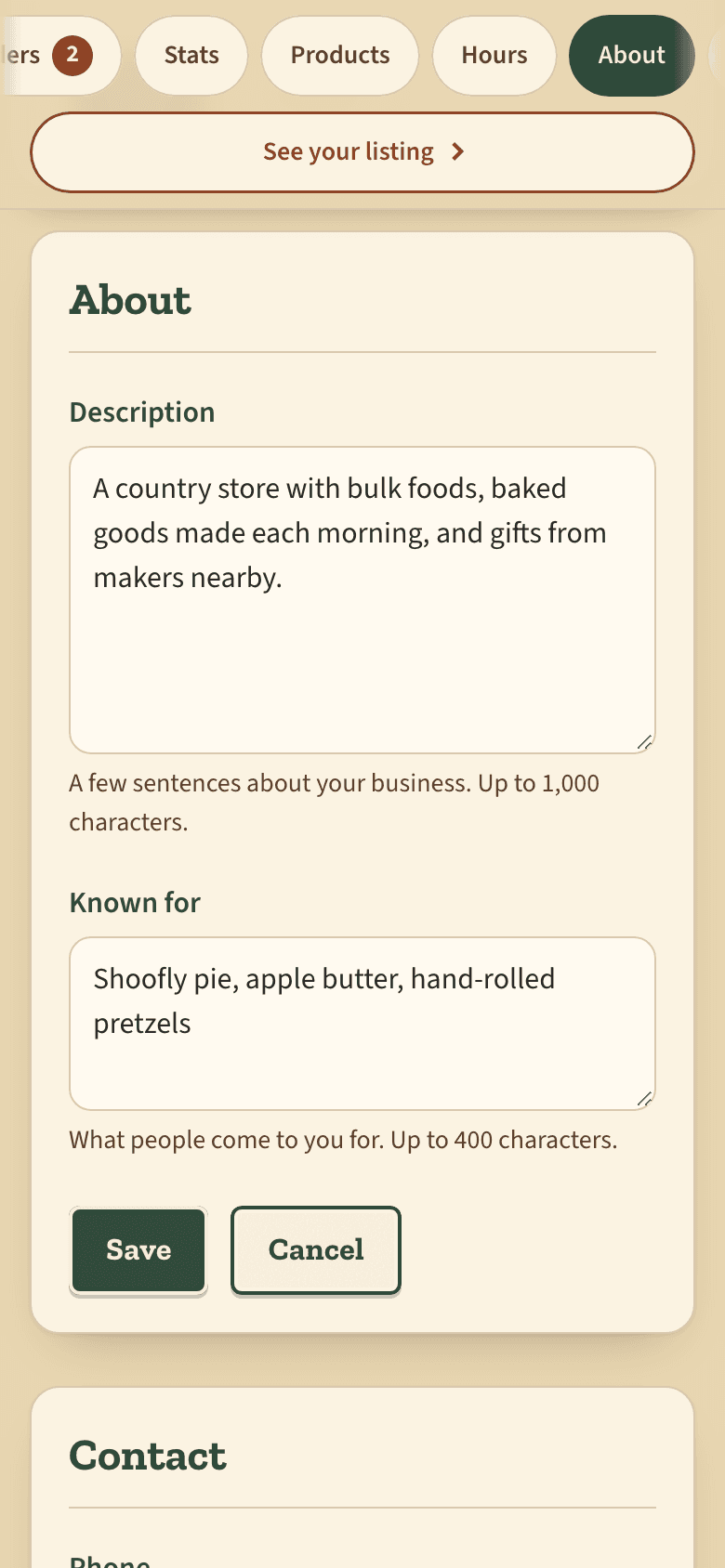
Edit listing
Change your description, phone, website and links yourself. Tap Save and it shows on your listing right away.
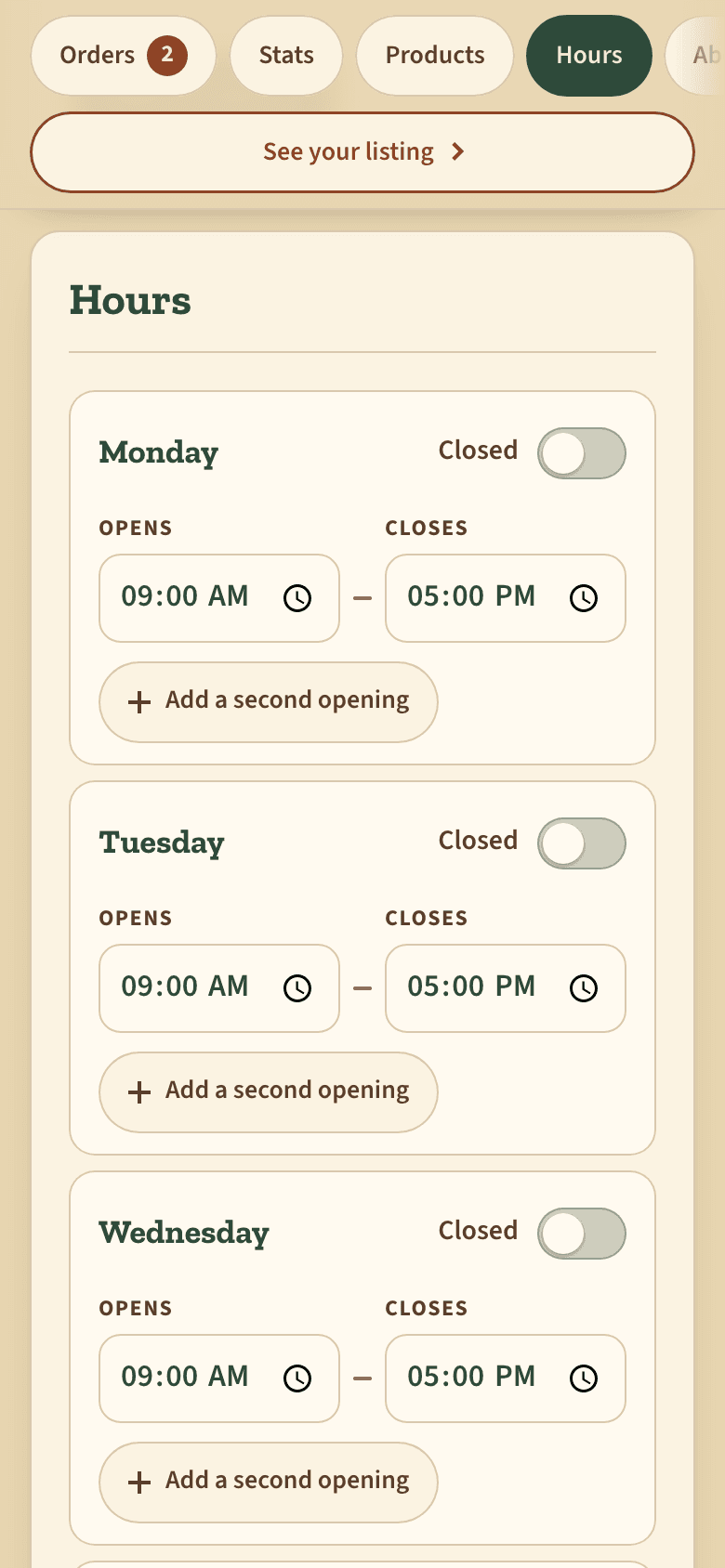
Hours
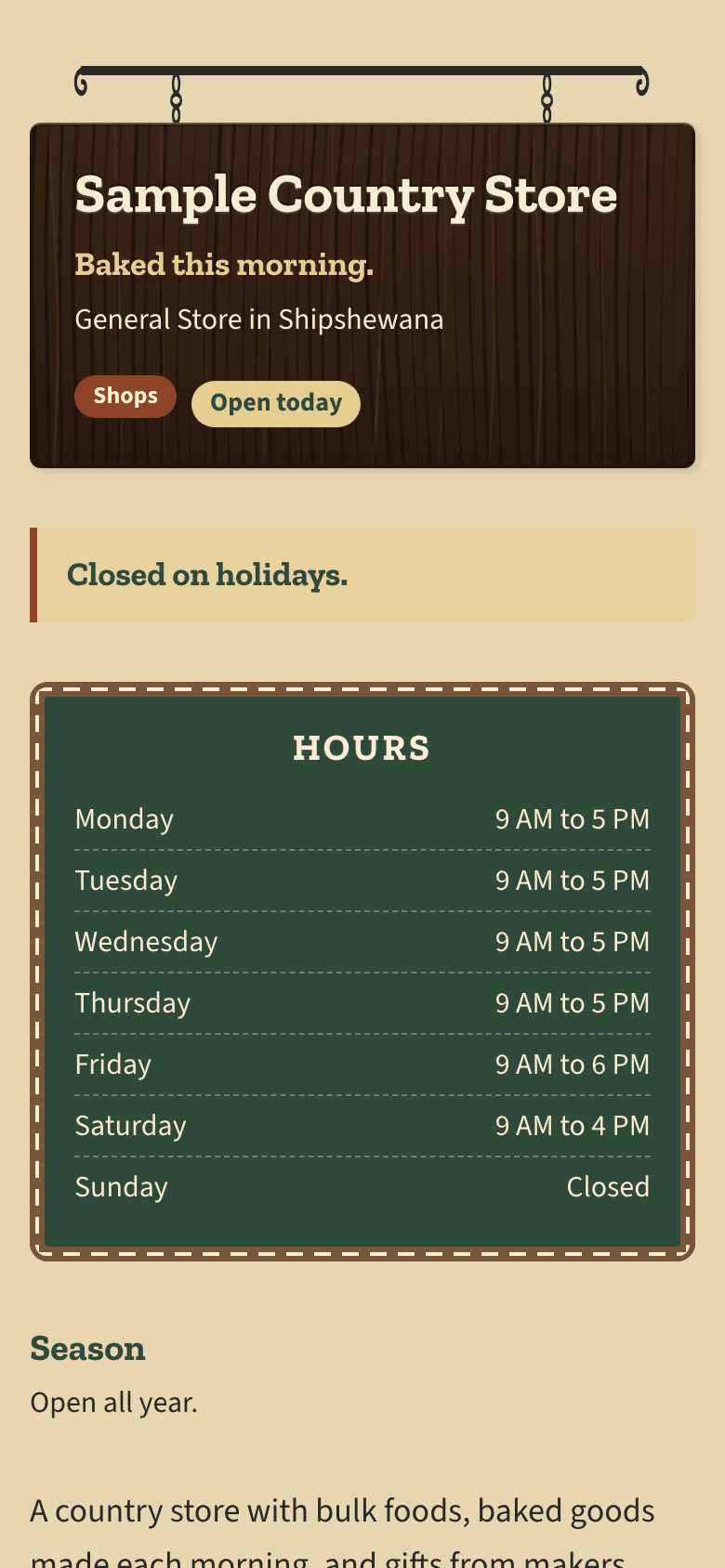
Set each day, mark the days you are closed, and add a second opening if you close for lunch.
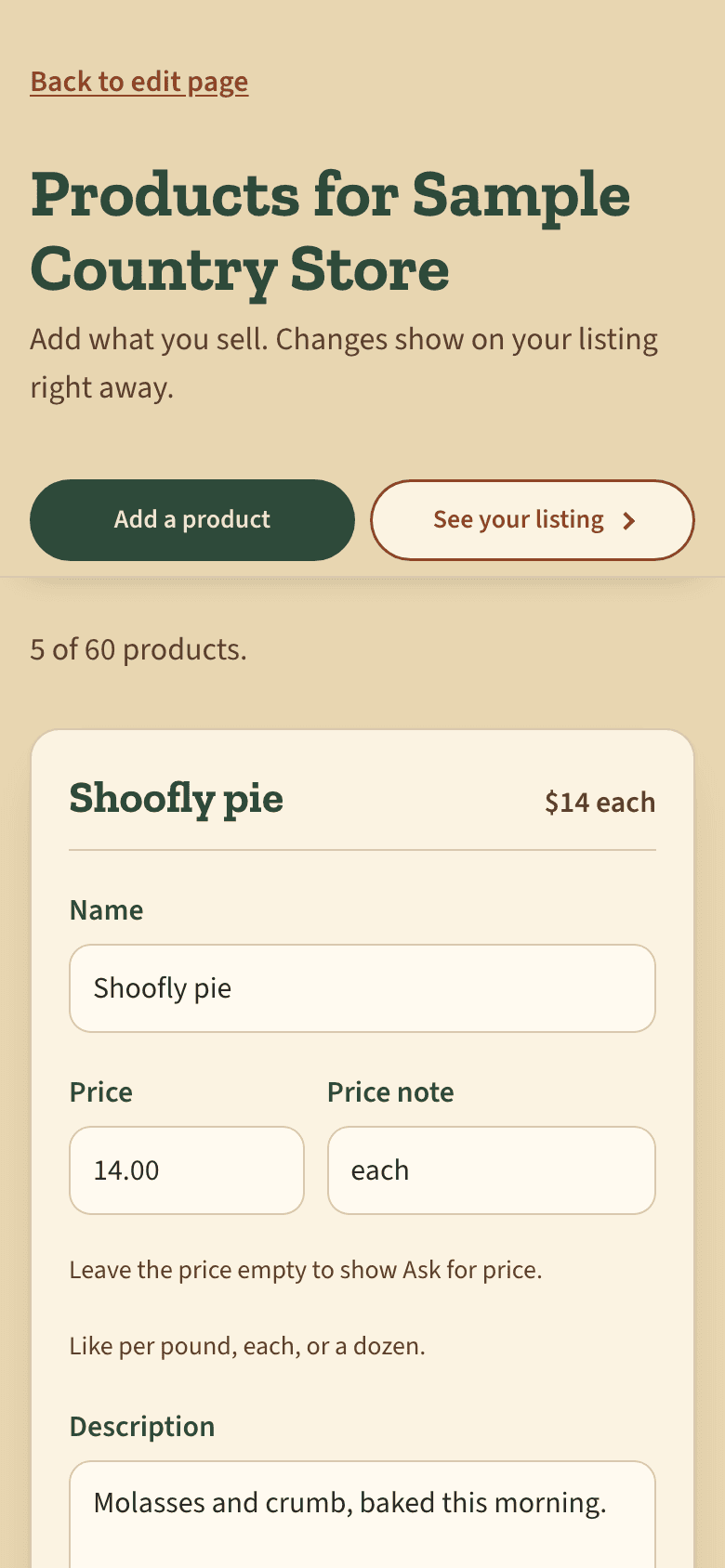
Products
Show what you sell with a name, a price and a short description. Hide one, reorder them, or delete one and bring it back within 30 days.
Order requests
Visitors pick products and send you one request. You get an email, reply to them yourself, and mark it Handled or Declined.
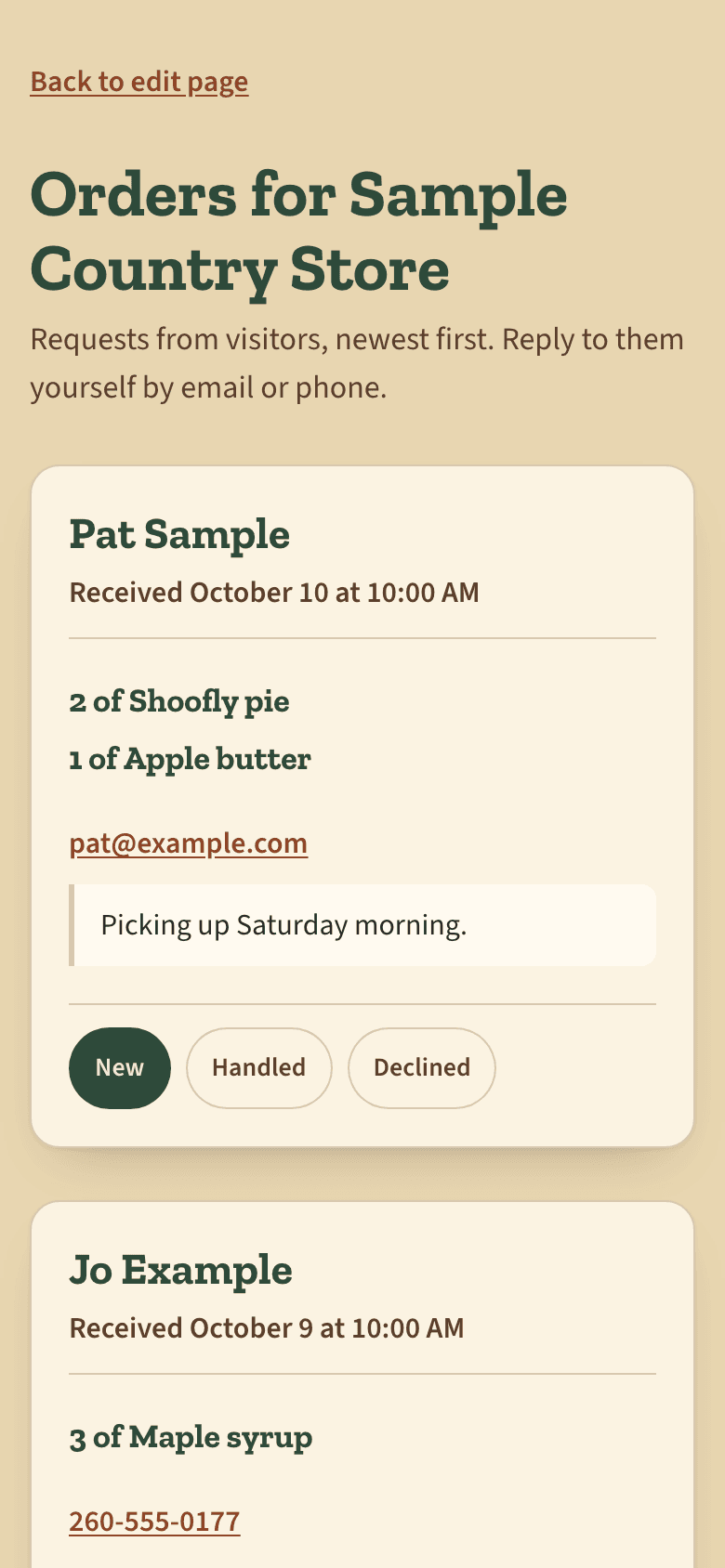
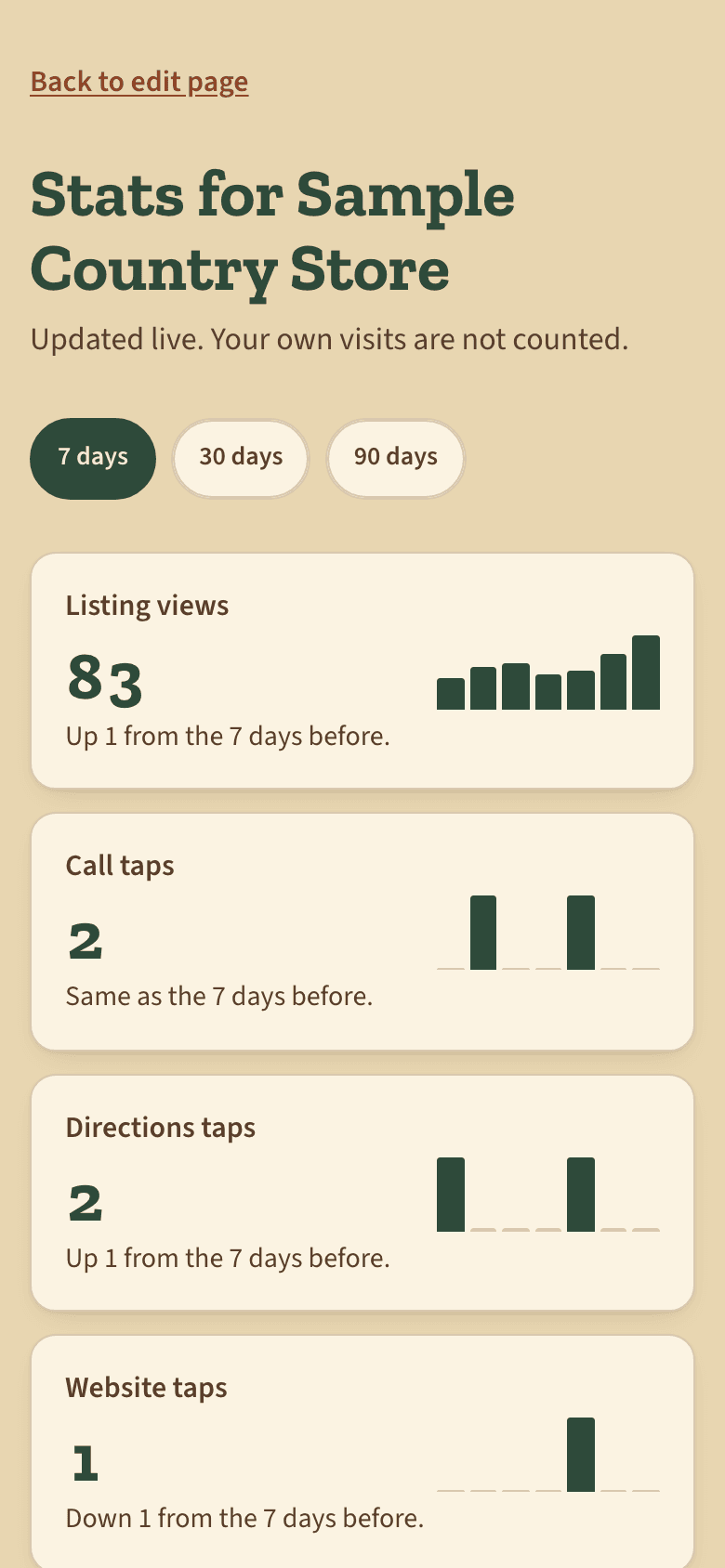
Stats
See how many visitors looked at your listing and what they tapped over the last 7 days, and which products got the most interest. Main Street adds 30 and 90 days.
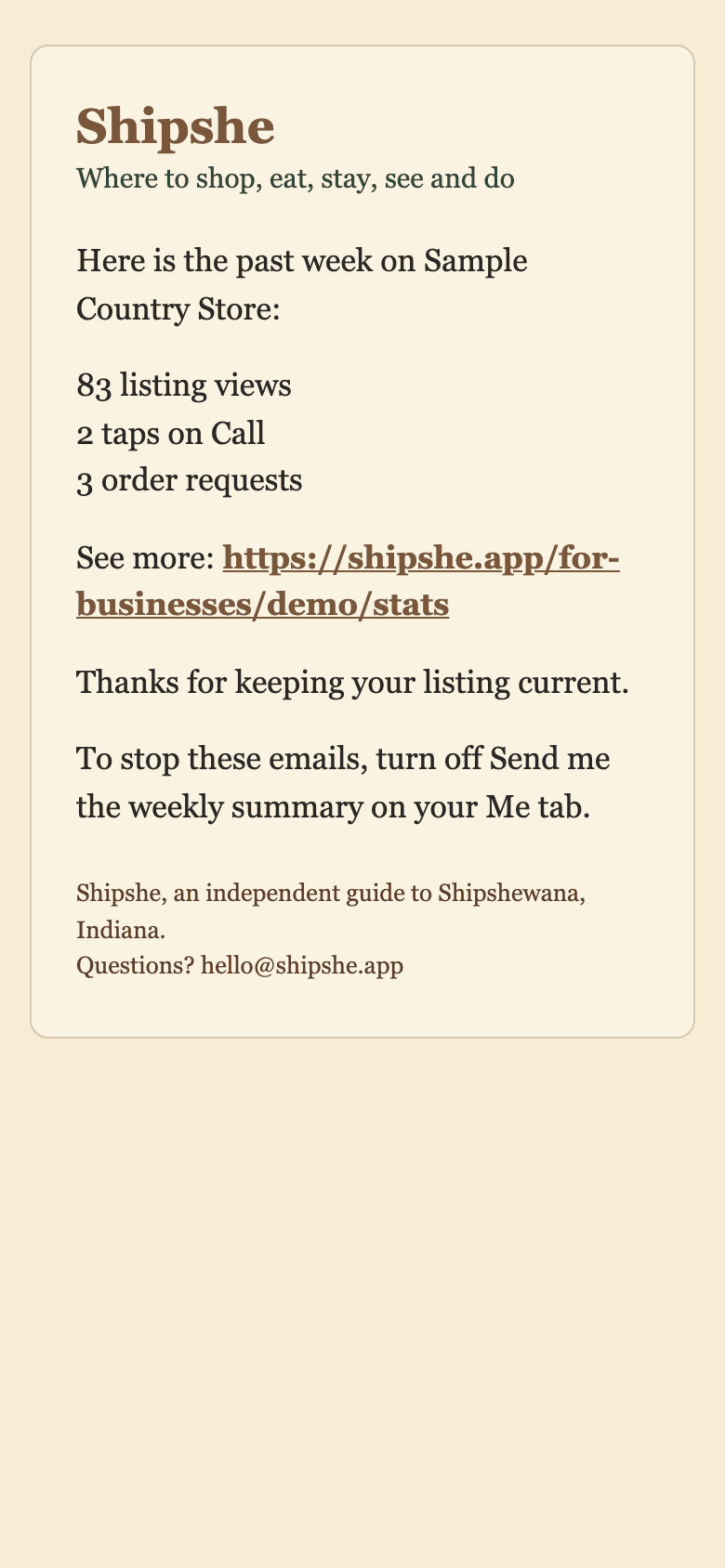
Weekly summary
One email on Monday morning when your listing had visitors that week. Turn it off any time, or send yourself this week's now.
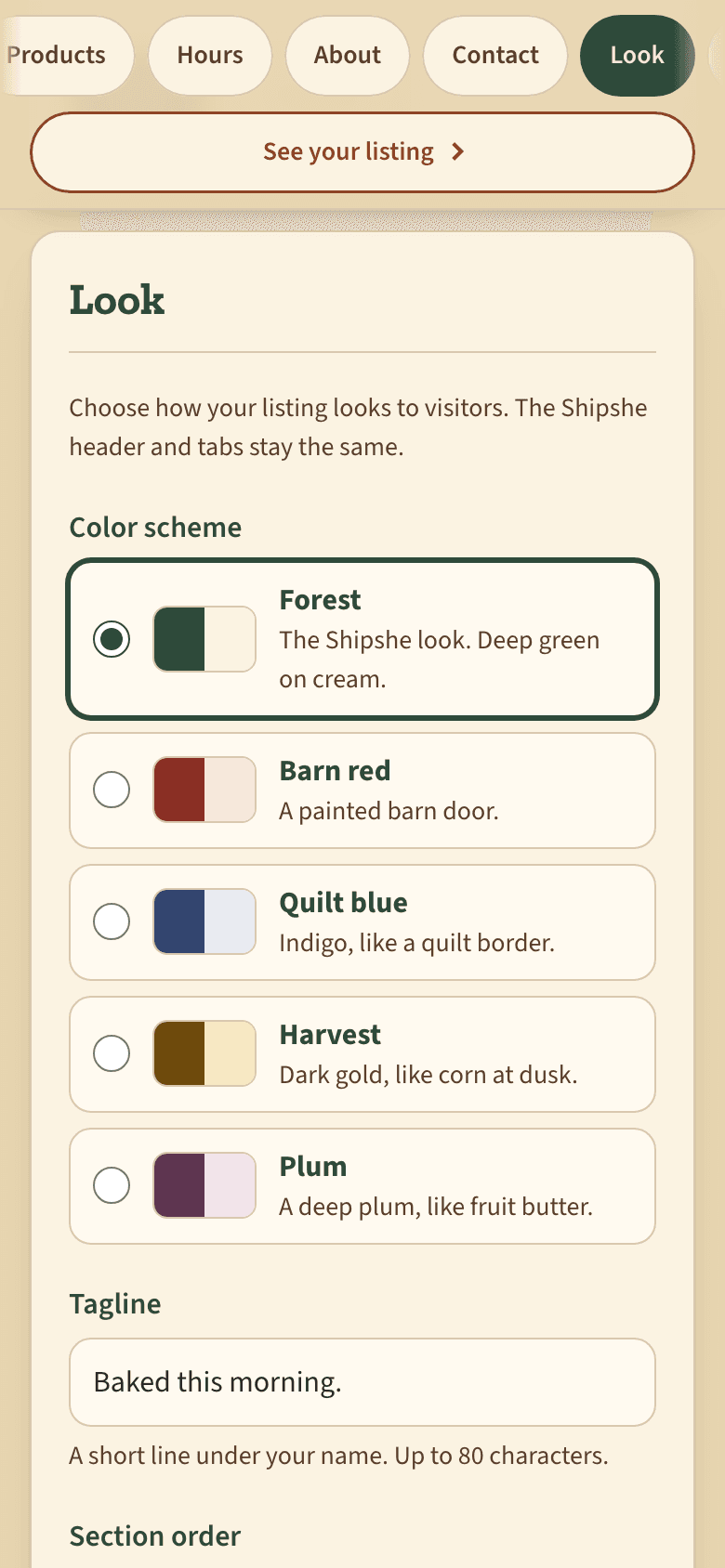
Customize your look
Pick a color scheme, add a banner photo and a tagline, and put your sections in the order you want.
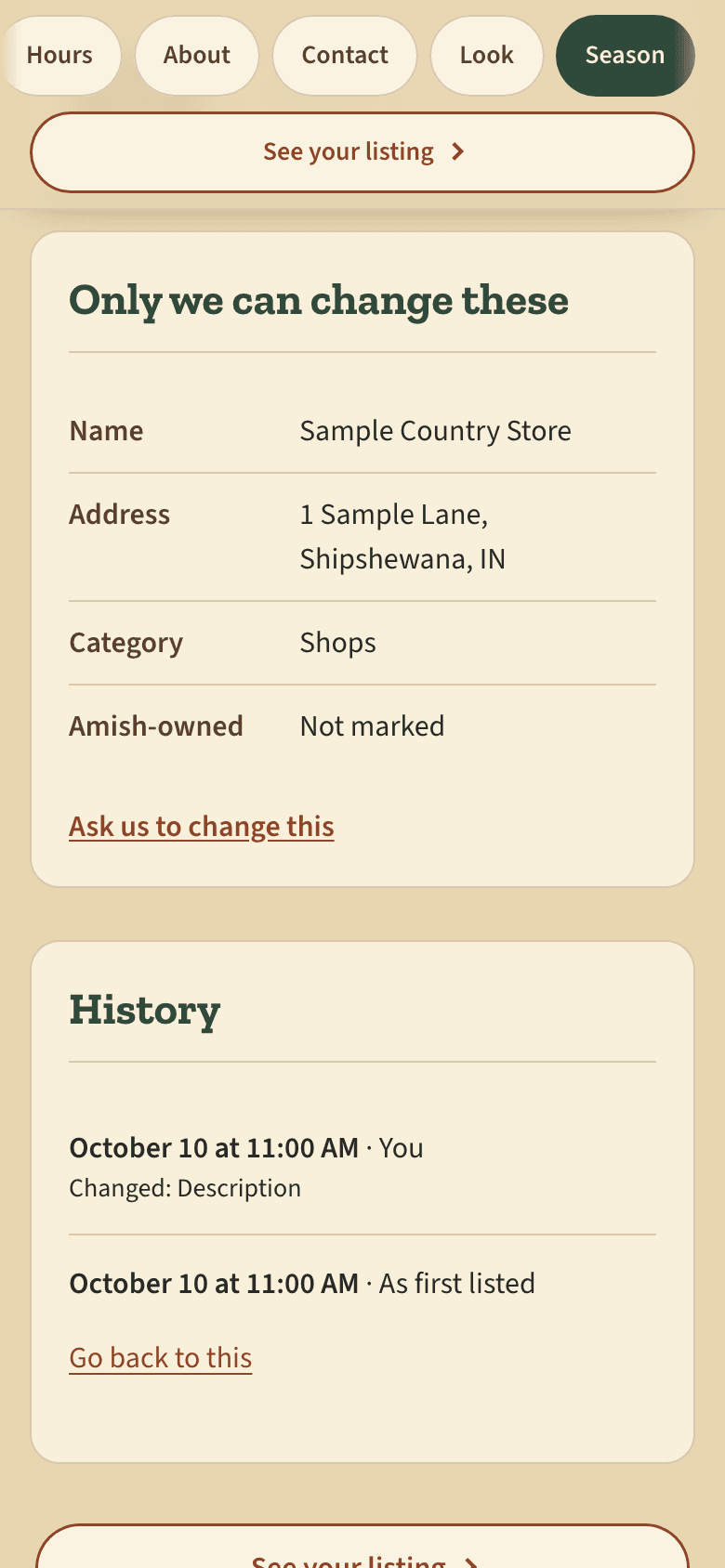
Undo and Ask us
Every save is kept in History, so a mistake is one tap to undo. For your name, address or category, tap Ask us to change this.
See it for yourself
The demo is a made-up business, Sample Country Store, with every owner screen working. Change anything. Changes don't save.
Questions
Is Shipshe free to list?
Yes. Being listed and claiming your listing are free. Paid plans are optional.
How do I claim my business?
Create a free account, find your business on the claim page, and confirm it is yours. If you can read email at the address on your listing, we send a code there. If not, we check with the business ourselves.
What if someone claims my business without permission?
A claim only goes through with a code sent to the address on your listing, or after we check with the business. If someone manages your listing who should not, write to hello@shipshe.app and we will sort it out.
How do customers find my listing?
Visitors browse by kind of place and part of town, search by name or by what they want, and see what is open now. Your listing has its own page that can be shared and found by search engines.
How do order requests work? Do you take a cut?
Visitors pick products on your listing and send you one request. You get an email and arrange it with them directly. No payment goes through Shipshe and we take nothing.
Can I remove my listing?
Yes. Write to hello@shipshe.app and we will take it down.
Can more than one person manage my listing?
Yes. Each person needs their own free account. Write to hello@shipshe.app and we will add them.
Do you share my customer data?
No. A request goes to the people who manage your listing and nobody else. Visit counts are totals. We do not know who your visitors are.
How do I update my hours?
Open Edit listing from your Me tab, go to Hours, set each day and tap Save. It shows right away.
How is Shipshe different from Visit Shipshewana?
Shipshe is independent. It is not part of Visit Shipshewana or the LaGrange County Convention and Visitors Bureau.
What do the paid plans cost?
Main Street is $19 a month and Marquee is $39 a month, for each listing. There is no contract and no setup fee.
How do I pay?
By card, through Stripe. Your card number goes to Stripe and never to Shipshe. Stripe emails your receipt.
Can I cancel?
Yes, any time, from Manage billing on your listing's plan page. You keep your plan until the end of the period you have paid for. We do not give refunds.
Can I change plans?
Yes. A move up starts right away. A move down starts at the end of the period you have paid for.
What happens if a payment fails?
Stripe tries the card again over 7 days. If it still fails, the plan ends and your listing goes back to Free. Nothing on your listing is lost.
Can I pay to be in the home page's Featured section?
No. A place in Featured or in a curated trip is chosen by Shipshe and is never sold. A listing on a plan is marked Featured partner or Spotlight.
Is your business on Shipshe?
Claim it now. It takes a few minutes.